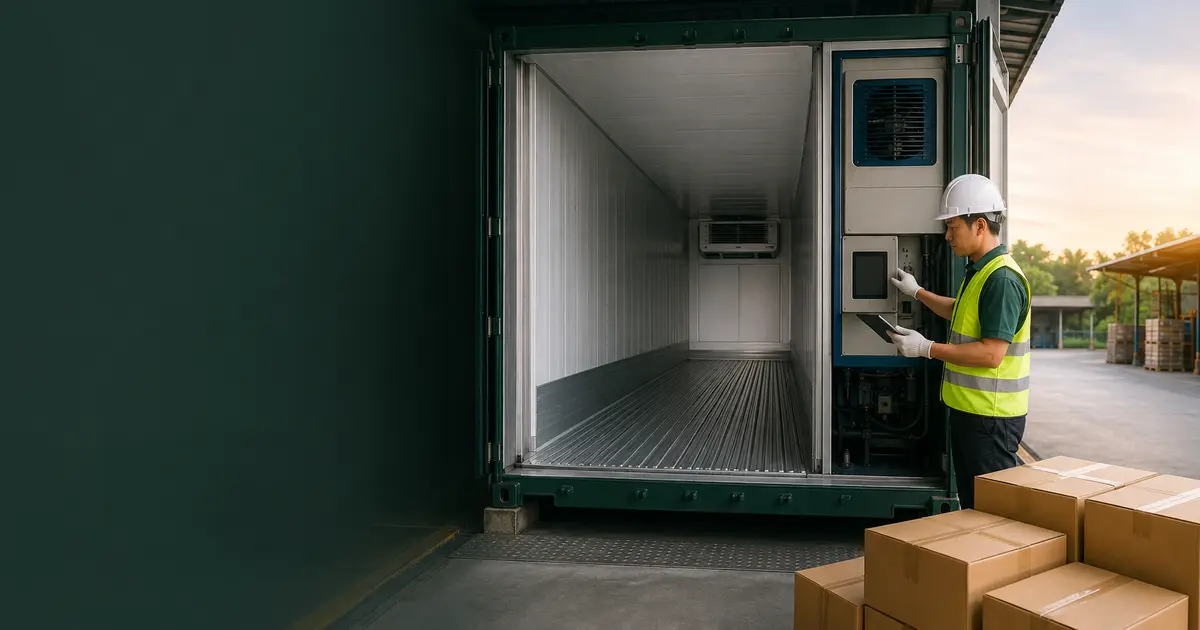
Durian reefer PTI: 9 checks before loading
A pre-trip inspection guide for durian reefers: container condition, refrigeration unit, setpoints, fruit temperature, airflow, stowage and the evidence you need before releasing the container.
By the DurianTradeX team · Updated · Reading time 13 minPrimary keyword: durian reefer PTI
- Short answer: the carrier’s PTI confirms the container is technically ready, but the packhouse still needs its own loading acceptance. Confirm the container number and booking, and check cleanliness, structure, doors, drains, the T-floor, alarms and the approved settings before any fruit goes in.
- A reefer is built to hold transport conditions, not to cool fruit that was never prepared. Measure product temperature to a plan and compare it with the transport instruction agreed with the buyer, specialists and the carrier.
- The release point that matters most is a reefer loading release gate after the doors close: check setpoint, ventilation and humidity or CA against the instruction, start the unit, record return and supply air, alarms, container and seal, and send the evidence pack before the truck leaves.
The answer first: a passed PTI does not mean ready to load
A PTI, or pre-trip inspection, checks that a reefer is fit for the journey. The container provider or carrier runs it under its own system. MSC says a PTI is done before the container is monitored in transit, and Maersk shows PTI status as information its maintenance teams use to plan inspections. Yet between collecting the empty, trucking it to the packhouse, waiting and loading, the container can be damaged, set wrongly or contaminated. That is why the packhouse needs its own acceptance check and a recorded result before every load.
- Keep the carrier’s PTI status separate from the packhouse’s loading acceptance.
- Do not start loading if the container number doesn’t match the booking or the transport instruction isn’t approved.
- Define the inspector, the verifier, the time and the minimum evidence per container.
- Use Accepted, Hold and Rejected statuses instead of verbal agreement.
- Confirm product-specific conditions with the buyer, carrier and specialists before shipment.
A PTI does not certify durian quality
The PTI covers the equipment and the container. Maturity, quality, product temperature, packaging, stowage pattern and lot completeness remain the responsibility of the exporter’s QC and loading process.
Never copy the setpoint from the last container
Temperature, ventilation, humidity or controlled atmosphere must come from the transport instruction for that shipment, taking into account variety, ripeness, packing format, route, transit time and buyer requirements. This article therefore gives no single number for every durian container.
Confirm the container, its documents and the inspection time
Start by matching the container number, size and type, booking, carrier, vessel and voyage, cut-off and the shipment in your system. A good photo tied to the wrong number is worthless as evidence. Scan or key the number from the container itself, let the system check it against the booking automatically, and record when, where and from whom the container was received.
- Photograph the container number on the outside and on the controller.
- Check the CSC plate and related markings under your own procedure.
- Confirm container type and payload against the loading plan and VGM.
- Record the truck number, driver and gate-in time.
- If anything doesn’t match, put the container on hold before opening the doors.
Set rules that stop container swaps
The system should lock each loading order so only containers linked to that shipment and booking can be selected. Changing the container must require a reason, an approval and updates to every downstream document affected.
Check the exterior, power cable, doors and drains
Walk around the container before it enters the loading area. Look for impact marks, dents, tears, unusual repairs, leaks, and the condition of the power cable, plug, door gaskets, locking gear and drains as required by the transport instruction. Do not accept a container that smells of chemicals or oil, has standing water or shows signs of pests without an assessment: these risks can turn into claims that are hard to prove later.
- Photograph all four corners, the doors, the visible roof and the refrigeration unit.
- Check the cable and plug for tears, cracks, burns or modifications.
- Open and close the doors and check the gaskets along their full length.
- Check drains and their covers against product and carrier requirements.
- Record existing dents or repairs with their position and size.
- Reject or request a replacement if damage affects tightness or safety.
Pre-loading evidence separates responsibility
Time-stamped photos and checklists show the condition at receipt. They help the team establish whether damage happened before, during or after loading, and reduce disputes with service providers when something goes wrong.
Check the interior is clean, dry, odour-free and light-tight
Hapag-Lloyd advises accepting only reefers that are clean and in good condition. Before loading, check the floor, walls, ceiling, T-floor channels, air vents and the area in front of the refrigeration unit for debris, nails, sharp objects, stains, standing water, mould, pests and odours. Check for light leaks with the doors closed following your organisation’s safe practice, and never block air vents or repair the floor yourself.
- Check for odours as soon as the doors open and before any fruit goes in.
- Use a torch along the T-floor and air channels.
- Record dryness and residues with photo evidence.
- Look for sharp points that could tear cartons or packaging.
- Test for light leaks without anyone being shut inside.
- If cleaning or disinfection is needed, confirm the agent, method and waiting time before loading.
Never mask an unusual odour
Air fresheners or sprays hide the cause and make assessment impossible. Hold the container, check its history or ask for a replacement, and have QA record the decision.
Check power-on, the controller, alarms and settings
Before loading, connect power safely, start the unit and check the controller shows no open alarms. Confirm setpoint, ventilation, humidity or CA against the approved version of the reefer transport instruction. Never type values from memory or rely on an old screenshot. Photograph the screen values and record them in a structured way so they can be searched and compared later.
- Check voltage and power supply against the equipment requirements.
- Record the controller model if your procedure requires it.
- Check alarm codes and status before loading starts.
- Compare setpoint and each parameter line by line with the instruction.
- Photograph the screen so the container number or a linking reference is visible.
- Any override must name the approver, the reason and when it ends.
Correct settings from a wrong instruction are still a risk
Use maker–checker: the planner issues the transport instruction, the container operator sets the unit from that document, and a second checker verifies before release. This reduces typos and the risk of applying another customer’s conditions.
Measure fruit temperature; supply air is not pulp temperature
Hapag-Lloyd advises that product temperature should match the carrying temperature before loading starts, and MSC notes that the product’s starting temperature, exposure to outside air and ventilation all affect temperature in transit. The figure on the controller is therefore no proof that every pallet of durian is ready. You need a sampling plan for pulp temperature, or a method your organisation has approved, with results by lot and position and calibrated instruments.
- Record the lot, pallet, position and time of each reading.
- Sample from the start, middle and end of the batch according to risk.
- Use instruments with an ID and calibration status.
- Record the value, the decision and who measured it.
- Place a quality hold when a value is out of range or data is insufficient.
- Never adjust an average to hide an abnormal unit.
A reefer is not a blast cooler
Its main job is to hold conditions during transport. Loading fruit much warmer than the instruction can slow heat removal, create hot spots and leave other parts of the load in uneven conditions.
Criteria must be shipment-specific
Have QA confirm the criteria against the customer specification, postharvest practice and specialist advice. Using a single public figure without context can cause chilling injury or speed up ripening.
Set the airflow plan before the first carton goes in
Cold air must keep moving through and around the cargo. MSC says chilled cargo such as fruit needs air to flow through the stack to remove respiration heat, and packaging must withstand moisture while leaving vertical air paths open. Hapag-Lloyd notes that too much empty floor space and gaps disturb airflow. Define the pallet and carton pattern, air channels and the material that covers empty floor space in the loading plan, rather than improvising on the dock.
- Align carton vents and keep them clear of tape and film.
- Support all four carton corners to reduce collapse that blocks airflow.
- Do not stack above the red load line.
- Do not load beyond the end of the T-floor or block the air outlet.
- Cover unused T-floor area with suitable material as the carrier advises.
- Do not wrap the stack in plastic that acts as a vapour barrier without an assessment.
- Photograph the pattern at every key stage of loading.
A full container does not mean a packed-tight container
The goal is capacity that works with the airflow pattern, weight and securing, not the highest possible carton count. Empty spaces and air paths should be designed, not left to chance.
Control door-open time and work during loading
Hapag-Lloyd advises switching the refrigeration unit off during loading to reduce the exchange of warm, humid air, and starting it after the doors close. In practice, follow the carrier’s instructions and the safety rules of your site. Record start and stop times, door-open duration and downtime so you can see which containers are at risk from long loading or line stops.
- Have fruit, people, equipment and documents ready before opening the container.
- Start the clock when the doors open and record every stoppage.
- Shield the loading area from rain, sun and hot wind.
- Only authorised staff may plug in or unplug power.
- If the time limit is exceeded, reassess temperature under your procedure.
- Alert when door-open time or downtime exceeds the threshold.
Time is quality data
Recording loading time per pallet and every pause links events to temperature excursions or claims far better than having only the start time and the door-closing time.
Close, seal and re-check values after start-up
When loading is complete, check carton and pallet counts, lots, positions, weight and securing materials before closing the doors. Make sure the doors seal properly, apply the seal and start the system according to procedure. Then wait for the interval your organisation sets and re-check setpoint, return air, supply air, ventilation, humidity or CA and alarms. The post-start reading confirms the unit is working again after loading; a photo taken before work began is not enough.
- Count and reconcile cartons against the loading plan and packing list.
- Make a final check of the red load line and air paths.
- Photograph the load before closing, the seal and the container number as one set.
- Record door-closing and power-on times.
- Re-check settings and alarms after start-up.
- Do not let the truck leave if a parameter doesn’t match or an alarm is open.
A seal is a data event, not just a number
Keep the seal number, who applied it, the time, photos and the status of approved documents. If a seal must be replaced, void the old number with a reason and create an audit trail; never overwrite the original value.
Build a reefer release gate and evidence pack
Before gate-out, have the system collect the evidence into one set: PTI reference, container and booking, exterior and interior checklists, controller photos, pulp temperature, loading plan, lots and QR codes, door-open time, alarms, seal, VGM and approvers. It should then set the status to Ready or Hold automatically. The documents should be searchable by container number and shipment, not scattered across phones and chat groups.
- Define mandatory fields and evidence by risk level.
- Create an exception queue with an owner and an SLA.
- Block Ready when the PTI isn’t confirmed, an alarm is open, temperature fails or the seal is incomplete.
- Capture digital signatures from the loader, checker and release authority.
- Send a summary of approved values to the driver, forwarder and monitoring team.
- Lock revisions after gate-out and use tracked amendments instead of overwriting.
- Link the data to temperature monitoring and to any downstream claim file.
KPIs worth tracking
PTI and acceptance rejection rate, loading duration, door-open time, temperature pass rate, alarms before gate-out, setpoint mismatches, evidence completeness, excursions in transit and claim rate by container, route and carrier turn the checklist from paperwork into a tool for improving margin.
An example approval rule
The loader records → QA checks pulp temperature and cleanliness → shipping checks booking, seal and VGM → a manager approves exceptions only. The system must never let one person create, edit and release a high-risk container without a verifier.
Frequently asked questions
What is a reefer PTI?
A PTI, or pre-trip inspection, is the service provider’s check that a reefer is fit for the journey, covering its condition and relevant functions. The packhouse should still run its own loading acceptance to confirm the container, documents, cleanliness, settings, product temperature and evidence before loading.
If the PTI passed, what should the packhouse check again?
Check the container number and booking, the exterior and interior, doors, gaskets, drains, power cable, odour, cleanliness, T-floor, air vents, controller, alarms, setpoint and the parameters in the transport instruction. Conditions can change after the container leaves the depot.
Can we use one standard temperature for every durian container?
You shouldn’t. Settings must follow the shipment’s transport instruction, confirmed against the customer specification, variety, ripeness, product preparation, packaging, route and advice from specialists or the carrier.
Can we read the temperature on the controller instead of measuring the fruit?
No. Supply and return air readings show the air conditions in the system; they don’t confirm the pulp temperature of each lot. Measure pulp temperature under a sampling plan with calibrated instruments and link the results to the lot.
Why must cartons stay below the red load line?
The space above the line is a key part of the return air path. Stacking above it can block airflow, creating hot spots and uneven temperatures. Many container providers specify that cargo must not be loaded above that line.
What is the minimum evidence before releasing a container?
At least the container and booking, PTI reference, inspection results, transport instruction, controller photos, product temperature results, loading plan and lots, door opening and closing times, alarms, seal, VGM, photos before closing, and the inspector and approver.
Official sources
Information last checked on 19 August 2026
- Reefer Cargo Handling: prior to stuffing, airflow and re-checking values after loadingHapag-Lloyd · Checked 19 August 2026
- Reefer Cargo: PTI, temperature, ventilation, packaging and cargo stuffing checklistMediterranean Shipping Company (MSC) · Checked 19 August 2026
- Maintenance & Repair App: using PTI status and alarms in container maintenanceA.P. Moller–Maersk · Checked 19 August 2026
- IMO/ILO/UNECE Code of Practice for Packing of Cargo Transport UnitsInternational Maritime Organization (IMO) · CTU Code page checked 19 August 2026
- CTU Code and official documentsUnited Nations Economic Commission for Europe (UNECE) · Checked 19 August 2026
- Export fruit quality control measures for the 2026 season (Thai)Department of Agriculture, Thailand · 12 March 2026